
 Login / Register
Sharpen Your Knowledge with Workday (Workday Pro Time Tracking) Certification Sample Questions
CertsTime has provided you with a sample question set to elevate your knowledge about the Workday Pro Time Tracking Exam . With these updated sample questions, you can become quite familiar with the difficulty level and format of the real Workday Pro Time Tracking certification test. Try our sample Workday Pro Time Tracking Exam certification practice exam to get a feel for the real exam environment. Our sample practice exam gives you a sense of reality and an idea of the questions on the actual Workday Pro Certifications exam.
Our sample questions are similar to the Real Workday Pro Time Tracking exam questions. The premium Workday Pro Time Tracking Exam certification practice exam gives you a golden opportunity to evaluate and strengthen your preparation with real-time scenario-based questions. Plus, by practicing real-time scenario-based questions, you will run into a variety of challenges that will push you to enhance your knowledge and skills.
Workday Pro Time Tracking Sample Questions:
Refer to the following scenario to answer the question below.
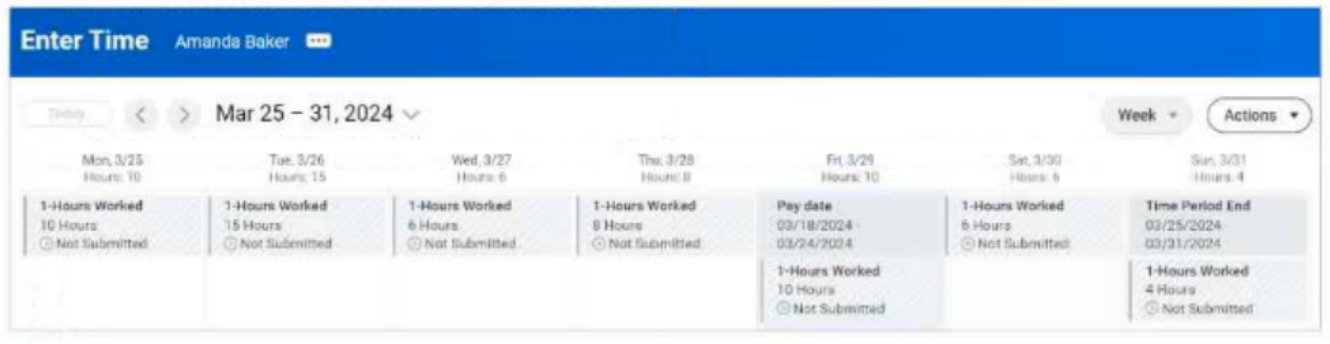
Amanda Baker is eligible for the following calculations: Daily OT > 8 regular hours in a day, Daily double time > 12 regular hours in a day, Weekly OT > 40 regular hours in a week.
What are the calculated hours for Friday?
A worker is eligible for a validation group which only contains the validations Unsubmitted Time and Cannot Work on a Holiday. You create a new validation, Cannot Work on Sunday, and you do not place it in a validation group.
What validations will the worker be eligible for?
On what Time Tracking component can you enable Optional Out Times for a group of workers?
Refer to the following scenario to answer the question below.
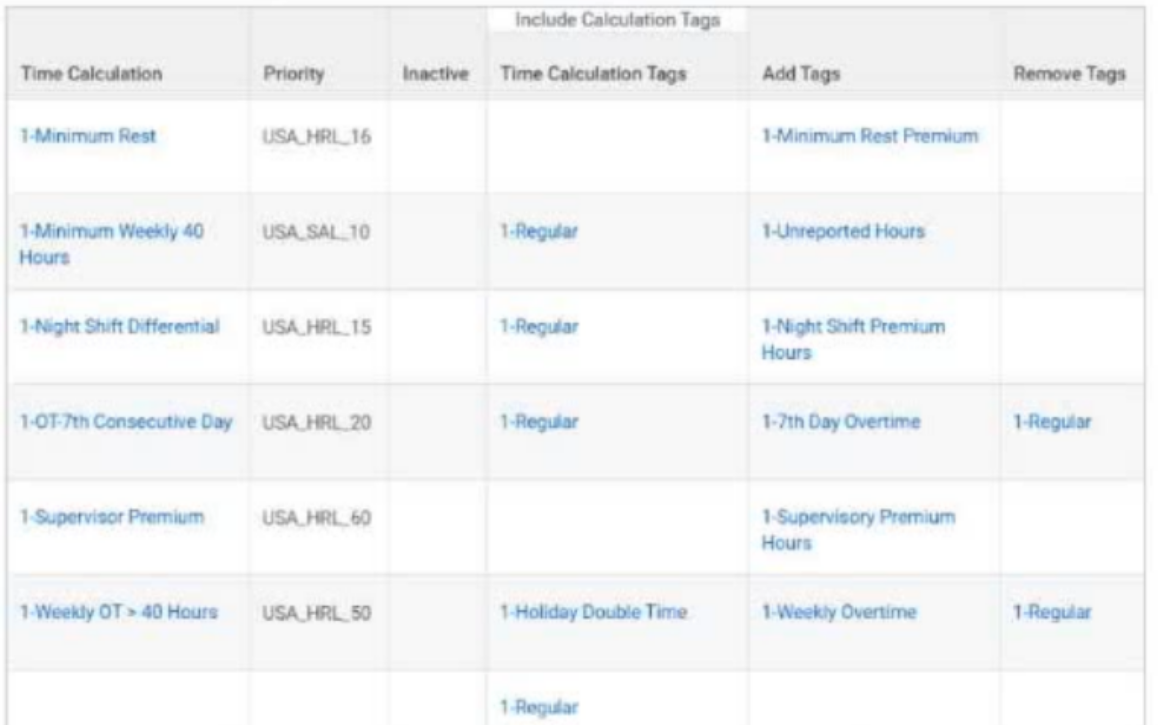
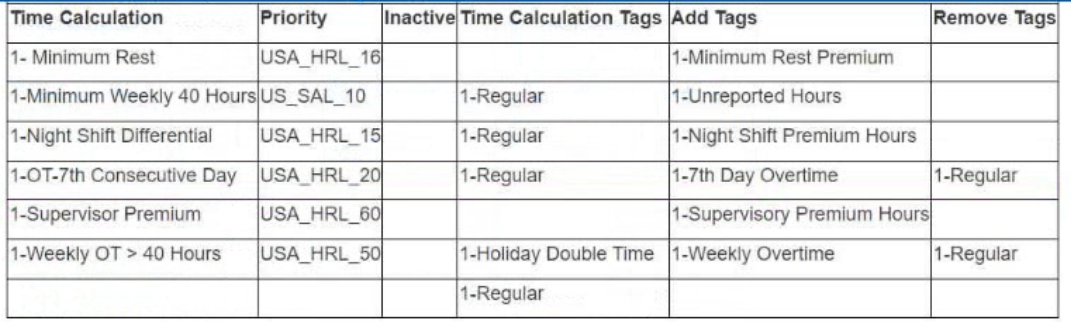
In the report, what calculation has the highest priority?
Refer to the following scenario to answer the question below.
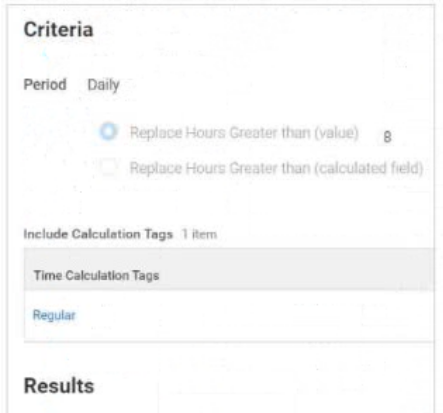

Table is labeled Include Calculation Tags 1 Item
The Time Calculation Tag included is Regular.
Results:
Add Tags field includes Daily Overtime.
Remove Tags field is empty.
Time Day Based On field selection is Calculated Date
The Daily Overtime calculation is tagging hours with both the Regular and Daily Overtime tags. This calculation should only tag hours with the Daily Overtime tag.
What should you edit in the calculation?

Note: If there is any error in our Workday Pro Time Tracking certification exam sample questions, please update us via email at support@certstime.com.


 Try Before You Buy!